Medical Disclaimer:
This content is for educational purposes only and does not replace professional medical advice. Always consult a qualified audiologist before choosing a hearing aid.
BTE hearing aids offer safe and reliable hearing support when selected after a proper hearing test and fitted by a hearing care professional.
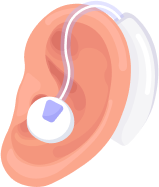
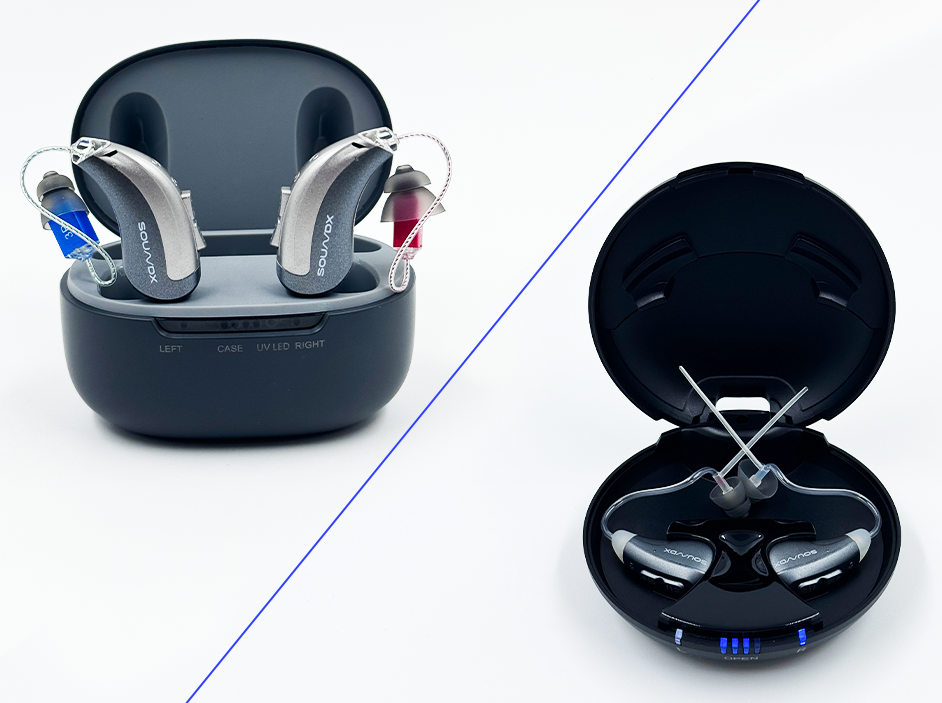
BTE hearing aids, also known as Behind-the-Ear hearing aids, are hearing devices that sit behind the ear and send sound into the ear through a tube or wire. They are powerful, easy to use, and suitable for people with mild to profound hearing loss, making them one of the most reliable hearing aid options.
Are BTE Hearing Aids Safe to Use?
Yes, BTE hearing aids are safe for daily use when chosen based on a hearing test and fitted correctly. Their safety depends on proper ear mold fitting, correct volume settings, and regular follow-ups.
Using BTE hearing aids without professional guidance may lead to discomfort or unclear sound.
What Are BTE Hearing Aids?
BTE hearing aids are hearing devices where the main body rests comfortably behind the ear. Sound travels from the hearing aid into the ear canal through a tube or thin wire connected to an ear mold or ear tip. Because of their size, BTE hearing aids can hold stronger batteries and more powerful technology. They are commonly used by children, adults, and elderly users because of their durability and performance.
How BTE Hearing Aids Work ?
BTE hearing aids pick up sound through microphones placed behind the ear. The sound is digitally processed to make speech clearer and reduce background noise. The improved sound then travels through a tube or wire into the ear canal. This simple but effective design helps users hear clearly in many different environments.
Types of Hearing Loss Suitable for BTE Hearing Aids
BTE hearing aids are suitable for:
- Mild hearing loss
- Moderate hearing loss
- Severe hearing loss
- Profound hearing loss
Their powerful design makes them one of the most flexible hearing aid options.
Real Hearing Loss Statistics
Worldwide, around 1.5 billion people live with hearing loss, and many of them require powerful hearing aids. Studies show that BTE hearing aids are widely used because they can support a wide range of hearing loss levels. In India, BTE hearing aids are often recommended due to their strength, durability, and ease of maintenance. Early use of hearing aids like BTE models improves communication and overall quality of life.
When BTE Hearing Aids May NOT Be the Best Choice
BTE hearing aids may not be ideal if:
- The user prefers very discreet or invisible hearing aids
- Cosmetic appearance is the top priority
- Extremely lightweight devices are required
In such cases, RIC or CIC hearing aids may be considered.
Who BTE Hearing Aids Are Best For
BTE hearing aids are best for people with mild to profound hearing loss who need strong amplification. They are ideal for children because they can be adjusted as ears grow. Elderly users also prefer BTE hearing aids because they are easy to handle and maintain. BTE hearing aids are a good choice for users who want powerful sound and reliable performance.
Key Benefits of BTE Hearing Aids
BTE hearing aids provide strong and clear sound, even for severe hearing loss. Their larger size allows longer battery life and advanced features like Bluetooth and rechargeable options. They are durable and suitable for daily use in different environments. BTE hearing aids are also easier to clean and handle compared to very small hearing aids.
Limitations of BTE Hearing Aids
Although BTE hearing aids are powerful, they are more visible than smaller hearing aid styles. Some users may feel conscious about their appearance. The tube or ear mold may need periodic replacement. However, these limitations are minor compared to the strong performance they offer.
BTE Hearing Aids for Children, Adults, and Old Age
- Children: BTE hearing aids are ideal due to adjustable ear molds and durability
- Adults: Suitable for work, travel, and noisy environments
- Old Age: Easy handling, strong sound, and rechargeable options improve daily comfort
This makes BTE hearing aids suitable across all age groups.
BTE vs RIC vs CIC vs ITC Hearing Aids Comparison Table
| Feature | BTE Hearing Aids | RIC Hearing Aids | CIC Hearing Aids | ITC Hearing Aids |
| Placement | Behind the ear | Behind ear + receiver in canal | Deep inside canal | Partly inside canal |
| Visibility | Most visible | Slightly visible | Almost invisible | Slightly visible |
| Hearing Loss Level | Mild to Profound | Mild to Severe | Mild to Moderate | Mild to Moderate |
| Sound Power | Very powerful | Powerful | Moderate | Moderate |
| Battery Life | Longest | Long | Short | Medium |
| Bluetooth Support | Yes | Yes | Limited / No | Limited |
| Rechargeable Option | Yes | Yes | No | No |
| Maintenance | Easy | Medium | High | Medium |
| Best For | High power needs | Tech users | Privacy seekers | Balanced users |
Technology Used in Modern BTE Hearing Aids
Modern BTE hearing aids use advanced digital technology to improve speech understanding and reduce noise. They include features like directional microphones, feedback cancellation, and automatic sound adjustment. Many BTE hearing aids support Bluetooth for phone calls and TV streaming. Rechargeable BTE models provide full-day power with easy charging.
Expert Insight :
With more than 20 years of hearing care experience, BTE hearing aids are often recommended for their reliability and strength. They are especially useful for users with severe hearing loss who need consistent amplification. Many users find BTE hearing aids easier to manage and maintain over time. Their durability makes them a long-term hearing solution.
How BTE Hearing Aids Are Fitted and Adjusted?
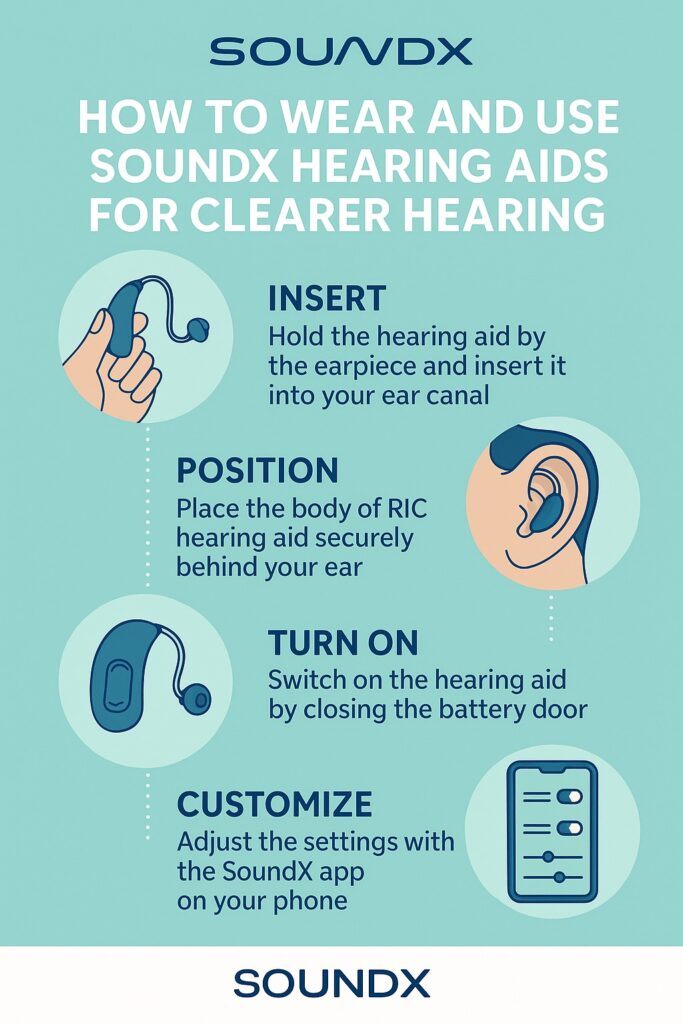
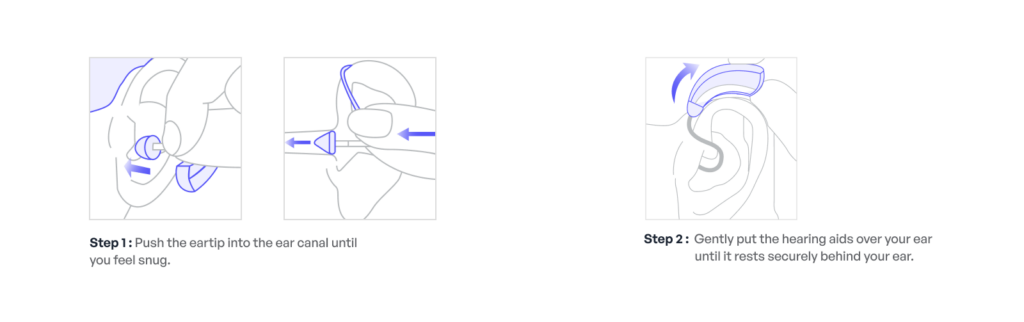
The fitting process starts with a hearing test to measure hearing loss level. An ear mold or ear tip is selected to ensure comfort and proper sound delivery. The hearing aid is programmed based on the hearing test results. Follow-up visits help fine-tune the settings for daily comfort and clarity.
Adjustment Period: What Is Normal and What Is Not
Normal during the first days:
- Slight loudness
- Awareness of background sounds
Not normal:
- Ear pain
- Sharp or distorted sound
These issues are usually corrected through fine-tuning.
BTE Hearing Aids Price Range in India
BTE hearing aids in India usually start from around ₹30,000 for basic models. Mid-range BTE hearing aids cost between ₹50,000 and ₹1,00,000. Advanced BTE hearing aids with Bluetooth and rechargeable features can cost up to ₹2,50,000. Prices depend on technology level and service support.
Care and Maintenance of BTE Hearing Aids
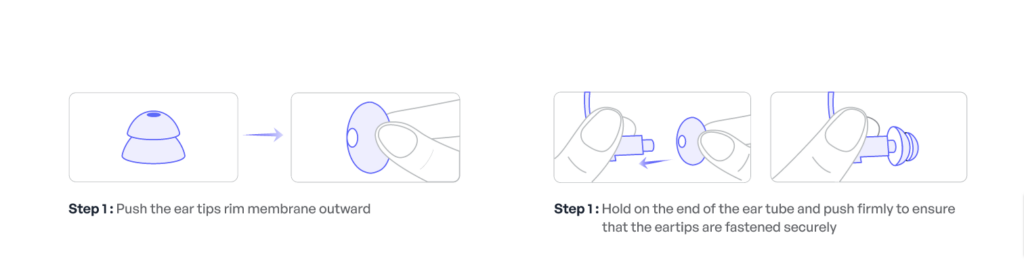
BTE hearing aids are easy to maintain due to their size. Users should clean the ear mold or tube regularly to prevent earwax buildup. Batteries should be replaced or charged on time. Regular professional servicing helps maintain sound quality and device life.
Facts and Myths About BTE Hearing Aids
Myth 1: BTE hearing aids are outdated
Some people think BTE hearing aids are old-fashioned. In reality, modern BTE hearing aids use advanced digital technology and smart features.
Fact 1: BTE hearing aids are among the most advanced options
They support Bluetooth, rechargeable batteries, and powerful sound processing.
Myth 2: BTE hearing aids are uncomfortable
Many believe BTE hearing aids are bulky and uncomfortable. With proper fitting, they are comfortable for long daily use.
Fact 2: BTE hearing aids offer long-term comfort
Modern designs are lightweight and well-balanced behind the ear.
Myth 3: BTE hearing aids are only for elderly people
Hearing loss affects all age groups. Children, adults, and seniors use BTE hearing aids.
Fact 3: BTE hearing aids suit all age groups
They are especially popular for children and users with severe hearing loss.
BTE Hearing Aids and Lifestyle Compatibility
BTE hearing aids work well for home use, office work, social gatherings, and outdoor activities. Their strong power makes them suitable for noisy environments. Bluetooth features help with phone calls and media streaming. Active users may need sweat-resistant models for better durability.
Common Mistakes When Choosing BTE Hearing Aids
Choosing a BTE hearing aid without a hearing test is a common mistake. Some users select the wrong ear mold size, causing discomfort. Ignoring follow-up visits can also reduce performance. Professional guidance helps avoid these issues.
If you are looking for professional hearing tests and BTE hearing aid fitting in Delhi or nearby area, you can consult SoundX Hearing Aids in Delhi Or Gurgaon.
Final Thoughts on Choosing BTE Hearing Aids
BTE hearing aids are a dependable and powerful hearing solution for people with different hearing needs. They offer strong sound, advanced features, and easy handling.
For proper testing, fitting, and long-term support, SoundX provides complete hearing care solutions to help users hear confidently and comfortably.
Frequently Asked Questions
- Are BTE hearing aids visible
Yes, BTE hearing aids are visible because the main unit sits behind the ear. However, modern BTE designs are slim and well-shaped, making them less noticeable. Most people quickly get used to their appearance during daily use.
- Are BTE hearing aids suitable for severe hearing loss
BTE hearing aids are one of the best options for people with severe to profound hearing loss. Their larger size allows stronger amplification and clearer sound. Audiologists often recommend BTE models for high hearing power needs.
- Do BTE hearing aids support Bluetooth
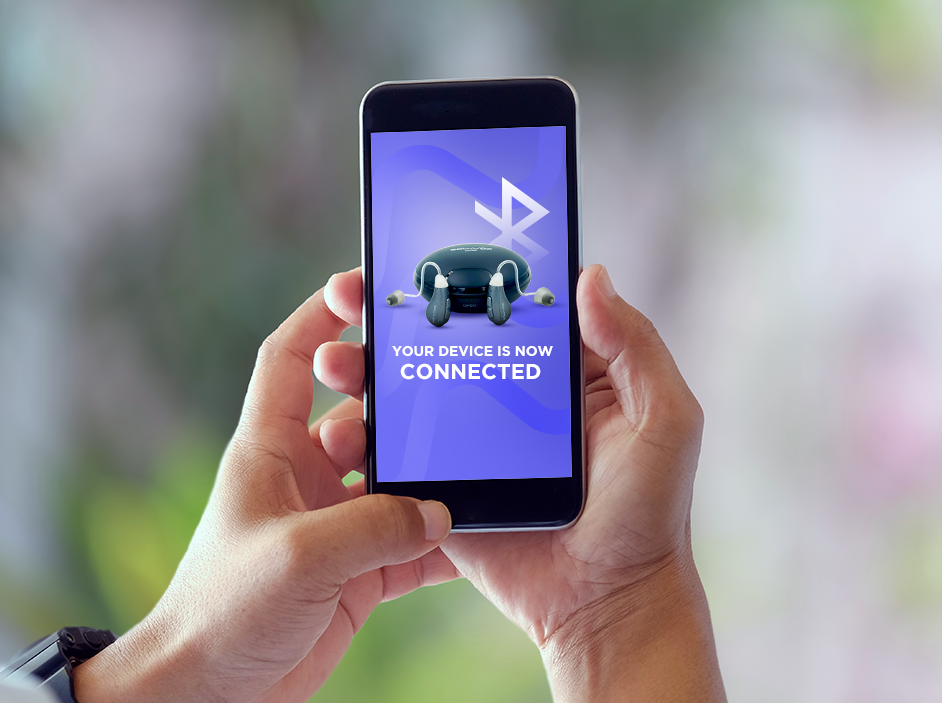
Most modern BTE hearing aids come with Bluetooth connectivity. This allows users to stream phone calls, music, and TV audio directly to their hearing aids. Bluetooth features improve listening comfort and convenience.
- Are BTE hearing aids comfortable for all-day use
When properly fitted, BTE hearing aids are comfortable for long daily wear. Their weight is balanced behind the ear, reducing pressure inside the ear canal. Regular adjustments help maintain comfort throughout the day.
- How long do BTE hearing aid batteries last
Disposable batteries in BTE hearing aids can last between 10 to 14 days depending on usage. Rechargeable BTE models usually provide a full day of use on one charge. Battery life may vary based on features and listening habits.
- Are BTE hearing aids easy to maintain
BTE hearing aids are considered easy to maintain because of their size and design. Cleaning the ear mold or tube regularly helps prevent earwax buildup. Basic care keeps the device working smoothly for a long time.
- Can children use BTE hearing aids
Yes, BTE hearing aids are commonly recommended for children. They can be adjusted or re-fitted as the child’s ears grow. Their durability and power make them suitable for young users.
- Where can I get BTE hearing aids in India
BTE hearing aids should always be purchased from professional hearing care centers. Providers like SoundX offer proper hearing tests, genuine devices, and expert fitting. This ensures safety, comfort, and reliable performance.